A search reputation review helps you understand what a potential customer, partner, candidate or investor may see before contacting the company.
The process does not require a complex tool at the first stage. A disciplined manual review already provides valuable information if the queries, search engines and findings are recorded consistently.
Step 1. Build a Query List
Start with the company and brand names and their common spelling variations.
Basic Queries
- company name;
- brand name;
- company name plus reviews;
- company name plus rating;
- company name plus vacancies;
- company name plus complaints;
- company name plus contacts;
- company name plus address.
Product and Service Queries
- company name plus main service;
- brand name plus product;
- service plus reviews plus city;
- company name plus delivery;
- company name plus warranty;
- company name plus quality.
Executive Queries
- first name and surname;
- name plus company;
- name plus reviews;
- name plus role;
- name plus project.
Sensitive Audit Queries
Use sensitive wording carefully and only for assessment:
- company name plus fraud;
- company name plus scam;
- company name plus court;
- company name plus conflict;
- company name plus complaint.
Do not limit the audit to the word “reviews”. Different users formulate their questions differently, and one source may rank for several combinations.
Step 2. Check Both Google and Yandex
Google and Yandex can show different sources for the same query.
Record:
- search engine;
- region;
- device type if relevant;
- date;
- query;
- top 10 URLs;
- selected positions 11–20 for important materials.
Avoid making decisions from one browser session alone. Personalisation, location and recent activity may affect the visible result.
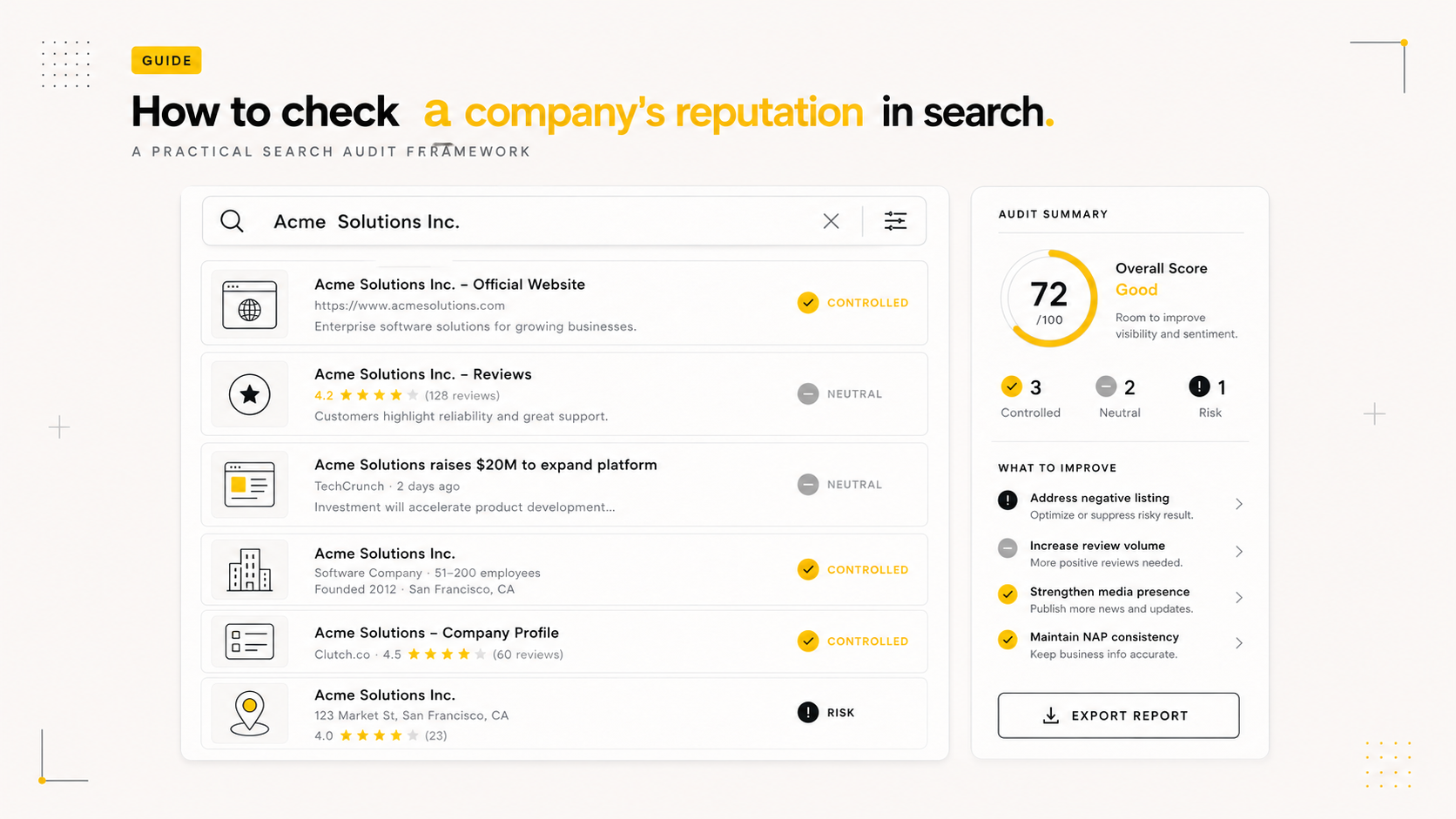
Step 3. Classify the Sources
Useful source categories include:
- official company website;
- company profiles and directories;
- map listings;
- review platforms;
- media publications;
- industry websites;
- social or community pages;
- employer review platforms;
- executive profiles;
- court or public record sources;
- duplicate and copied publications.
Step 4. Mark Sentiment and Relevance
A simple classification can use:
- positive;
- neutral;
- negative;
- irrelevant.
But sentiment alone is not enough.
Also record:
- whether the source is current;
- whether the information is accurate;
- whether it is visible for several queries;
- how credible it looks;
- whether the company can control or update it;
- which decision it may influence.
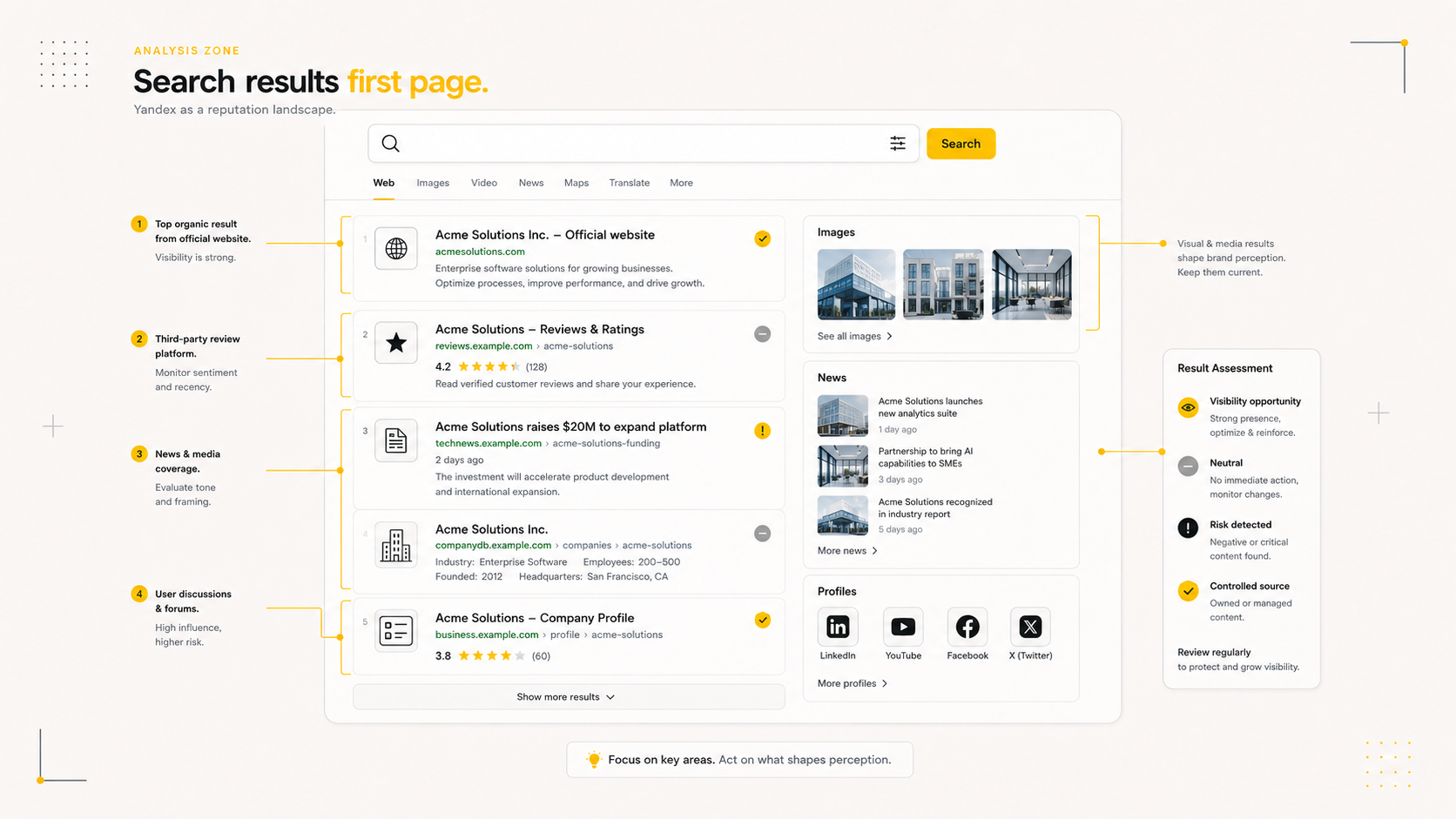
Step 5. Review the First Search Page as a Whole
Ask what conclusion a new user may reach.
Does the page show:
- a clear official source;
- current company information;
- relevant services and projects;
- credible independent materials;
- balanced reviews;
- current executive information;
- outdated conflicts;
- unexplained criticism;
- empty or inconsistent profiles?
The objective is not to make every result positive. A credible information environment should be accurate, current and complete enough to support an informed decision.
Step 6. Check Reviews and Map Profiles
For each important profile, record:
- rating;
- number of reviews;
- recent trend;
- recurring complaint topics;
- company responses;
- profile completeness;
- contact accuracy;
- photographs;
- duplicate profiles.
A strong average rating can still hide a serious current problem if the latest reviews are negative and unanswered.
Step 7. Identify Controlled Sources
Controlled sources may include:
- official website;
- service pages;
- company and team pages;
- case studies;
- executive biographies;
- news and expert articles;
- official map listings;
- verified company profiles.
Check whether these sources are accurate, useful, indexed and visible.
Step 8. Prioritise the Risks
A practical priority model considers:
- position;
- query coverage;
- source credibility;
- factual severity;
- business decision impact;
- urgency;
- realistic area of influence.
A low-ranking negative forum mention may require only monitoring. An inaccurate article in the top three for the company and CEO may require urgent assessment.
Step 9. Choose the Appropriate Action
Possible actions include:
- monitoring;
- updating an official page;
- correcting a company profile;
- responding to a review;
- preparing a moderation request;
- contacting a publisher;
- publishing accurate context;
- improving controlled sources;
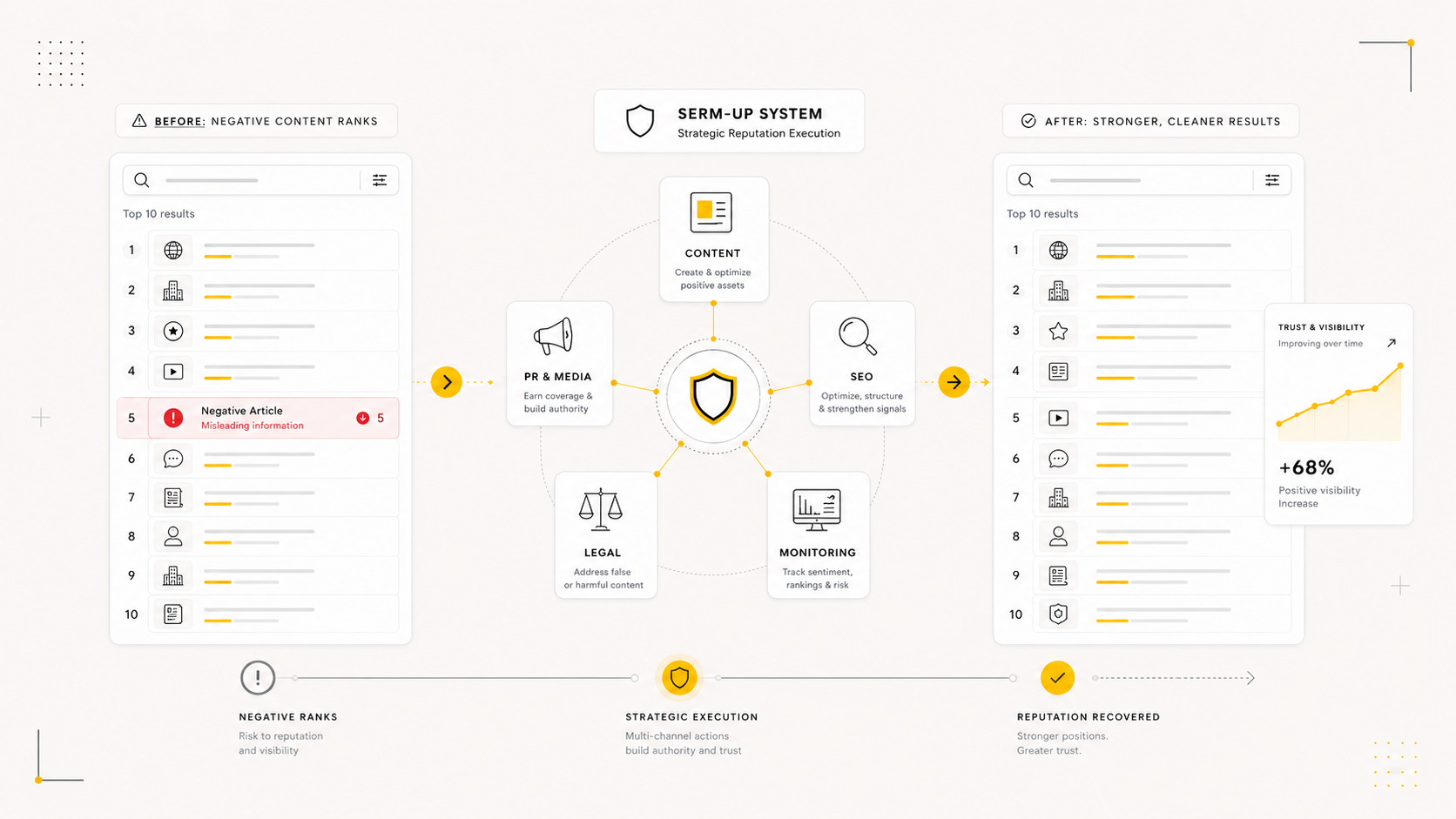
- developing a SERM strategy;
- requesting separate legal advice.
Step 10. Repeat the Review
Search reputation changes.
Repeat the review after:
- a major publication;
- a rating incident;
- a public campaign;
- a tender or transaction;
- an executive appointment;
- implementation of reputation work;
- a material change in the company.
A Simple Audit Table
Use columns for:
- query;
- search engine;
- position;
- URL;
- source;
- sentiment;
- relevance;
- risk;
- control level;
- recommended action;
- owner;
- status.
When to Request a Professional Audit
Professional support is useful when:
- there are many queries and related people;
- the top results differ significantly between search engines;
- the situation involves a public dispute;
- the business has an important deadline;
- the same negative material appears across many queries;
- different teams need a common priority map.